
Xero 6: Payments, Voids and Changes Made in Xero
Once an invoice is in Xero, Xero holds the money side of it. Payments, and changes made in Xero, are read back into EPONA.
Payments
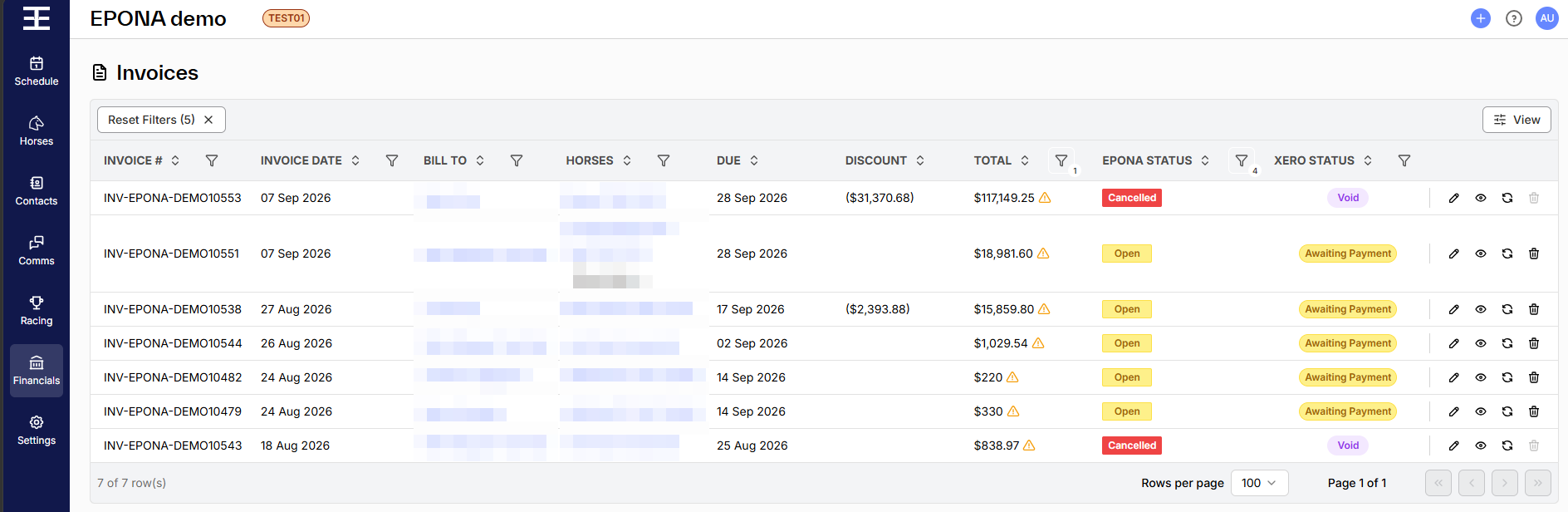
Record payments in Xero, against the invoice, as for any Xero invoice. EPONA reads each invoice's status and amount due from Xero: a part-paid invoice shows Partially Paid in the Xero Status column (EPONA Status Open), and a fully paid invoice shows Paid (EPONA Status Closed). The Paid and Balance columns can be added to the Invoices list with the View option on the right-hand side of the list. Paid is the total less the amount due, so it also includes credit notes allocated in Xero.
When EPONA picks up changes from Xero
EPONA is not told the moment something changes in Xero. It checks:
- When anyone opens Financials/Invoices, or a contact's Invoices tab - EPONA shows "Invoice synchronisation is in progress. The table will automatically refresh when it's done." and picks up everything changed in Xero since its last check. It checks at most every 30 seconds; the first check after connecting looks back 90 days.
- When the Refresh icon is clicked at the right-hand end of an invoice's row, or Resync at bottom right of an open invoice - that invoice only
Note - a payment recorded in Xero this morning shows in EPONA the next time someone opens the Invoices list. If a figure looks out of date, open the Invoices list or refresh the invoice.
Voiding an invoice
Void in EPONA wherever possible. EPONA voids the invoice in Xero and releases its charges in EPONA so they can be invoiced again. See Void or Dismiss an Invoice.
If an invoice is voided in Xero instead, EPONA marks it Cancelled the next time the Invoices list is opened or the invoice is refreshed, and releases its charges in the same way.
Void is greyed out while EPONA shows an invoice as Partially Paid or Paid. Remove the payment or allocated credit note in Xero, click Refresh on the invoice, then void in EPONA. If Xero still refuses, EPONA shows Xero's reason.
Editing an invoice in Xero
If the amount, the contact or the charges on an invoice are wrong, void it in EPONA and invoice again, rather than editing it in Xero.
If an invoice is edited in Xero anyway:
- EPONA takes the invoice number, dates, reference, totals, tax and balance from Xero
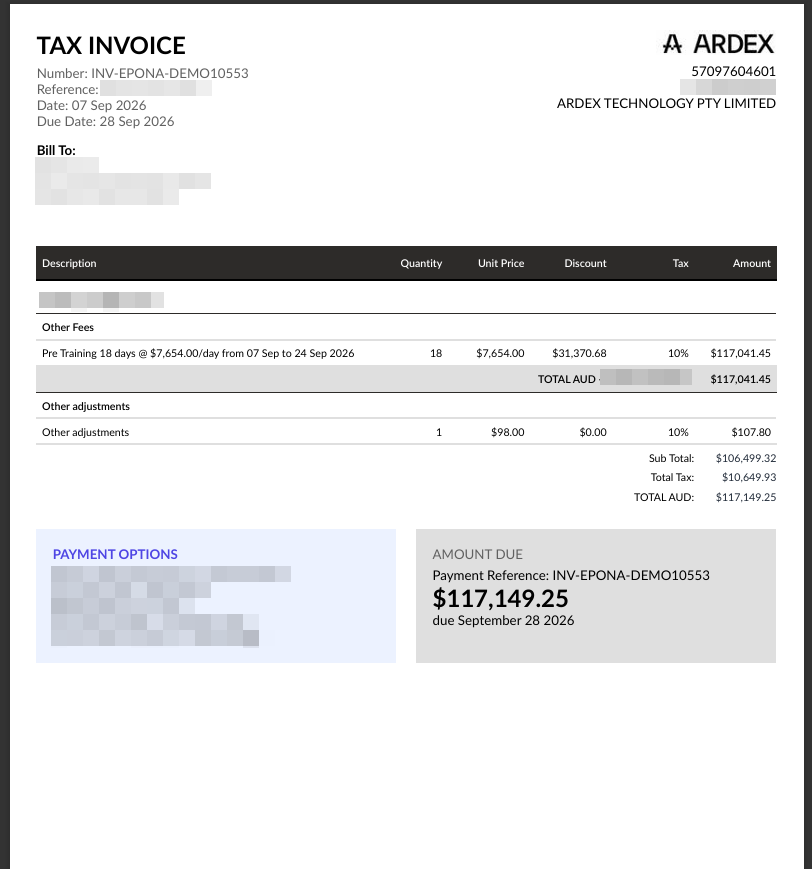
- EPONA does not copy changed lines. Where the amount or GST for any tax rate no longer matches the EPONA charges — even by a cent — EPONA adds an Other (adjustment detected) line for the difference, one per tax rate, so the EPONA invoice still adds up to Xero's. On the PDF it reads Other adjustments
- The invoice is flagged - a warning icon beside the total in the list ("Discrepancy detected - the invoice has been modified in Xero") and an Accounting Discrepancy badge when it is opened. Use the Discrepancy filter to list only these invoices
- EPONA rebuilds its invoice PDF and attaches it to the Xero invoice again
- A change of contact made in Xero is not copied into EPONA, and edits that don't change amounts aren't flagged
Nothing EPONA does here changes Xero. If the edit in Xero is reversed and the totals match again, the adjustment line and the flag clear.
Invoices created in Xero
An invoice or credit note raised directly in Xero for a contact linked to EPONA appears in the EPONA Invoices list, and is marked Created in Xero when opened. EPONA holds its totals and status but not its lines — opening it shows "Line items are held in Xero". Only documents created or changed in Xero within the last 90 days of EPONA's checks are picked up. Voiding one from EPONA voids the original in Xero, and no EPONA charges are released. Documents in Xero for contacts not linked to EPONA are ignored.
Credit notes
EPONA reads each credit note's remaining credit from Xero. Allocate credit notes to invoices in Xero; EPONA does not allocate them.