
Location List Report and Horse Location Status
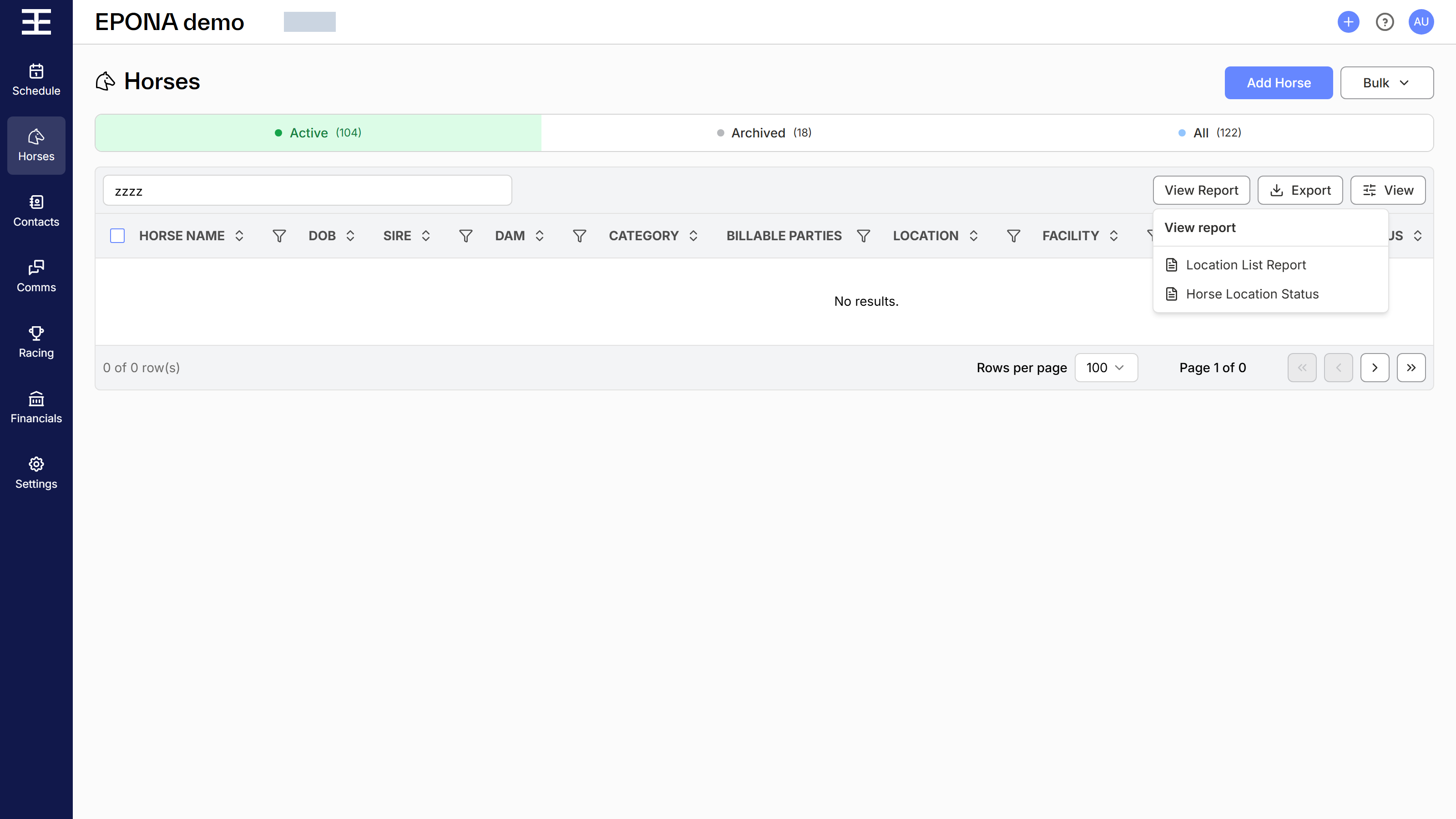
Two printable reports are available from the horse list:
- Location List Report - every horse grouped by where it is, for walking the property against an accurate list
- Horse Location Status - one line per horse showing its status on a date you choose, for checking agistment and billing conversations against a specific day
Note - available to Admins and Managers only.
Where to find them
Click Horses at left of screen, then click View Report at top right of the list, beside Export, and choose the report. The report opens in a panel on the right of the screen. Click Close at the bottom of the panel when you are done.
Both reports use the horse list exactly as you have it: the Active, Archived or All tab, your search, and any filters applied. Filter the list first to report on part of your workspace, e.g. only horses at Status = Agistment. The reports cover every matching horse, not only the rows showing on screen.
Location List Report
The report groups horses by location, and within each location by facility, with a count of horses in each heading. Horses without a location are listed first under "Location not set up". Locations that are not part of your property are listed last.
For each horse it shows:
- Horse Name
- Colour
- Gender
- NS Brand (the brand image where one has been uploaded)
- OS Brand
- DOB
- Category
- Facility (facility and sub facility together)
A grand total of horses appears at the end.
Note - horses that have departed (moved to a location outside your property with no status) are left off the report. They are still included when you use Export.
Horse Location Status
The report lists one line per horse, alphabetically, showing Horse, Status and Category, with the number of horses at the end.
Choose the date at the top of the panel under Effective date. It defaults to today, and the report refreshes when you change it. Each horse's status is taken from its most recent movement on or before that date, and is the same status the horse list shows for that day. A horse moved to a location outside your property with no status shows as Departed.
Saving and printing
Click the printer icon in the report's toolbar to download the report as a PDF, then print it from there. Every page shows the date and time it was generated.
Export at top right of the horse list downloads the horse list as CSV, Excel or PDF (the PDF is the Location List Report). Export is available on desktop screens.
Related: Horses, Using Filtering, Horse Brand, Transactions Report