
(Mobile) Send a horse update
Email a horse's owners and interested parties an update from your phone
A horse update is an email about one horse to its owners and interested parties, with photos or voice notes attached if you want.
- Open the horse. Tap the horse head icon at the bottom of the screen, then tap the horse's name.
- Tap + in the centre of the bar at the bottom of the screen, then tap Add Horse Update.
- Under Attachments, tap Gallery, Camera or Voice to add photos or a voice note. This is optional.
- Check Recipients. They are filled in from the horse's interested parties.
- Check the Subject (Horse Update and today's date), and write your update in Body.
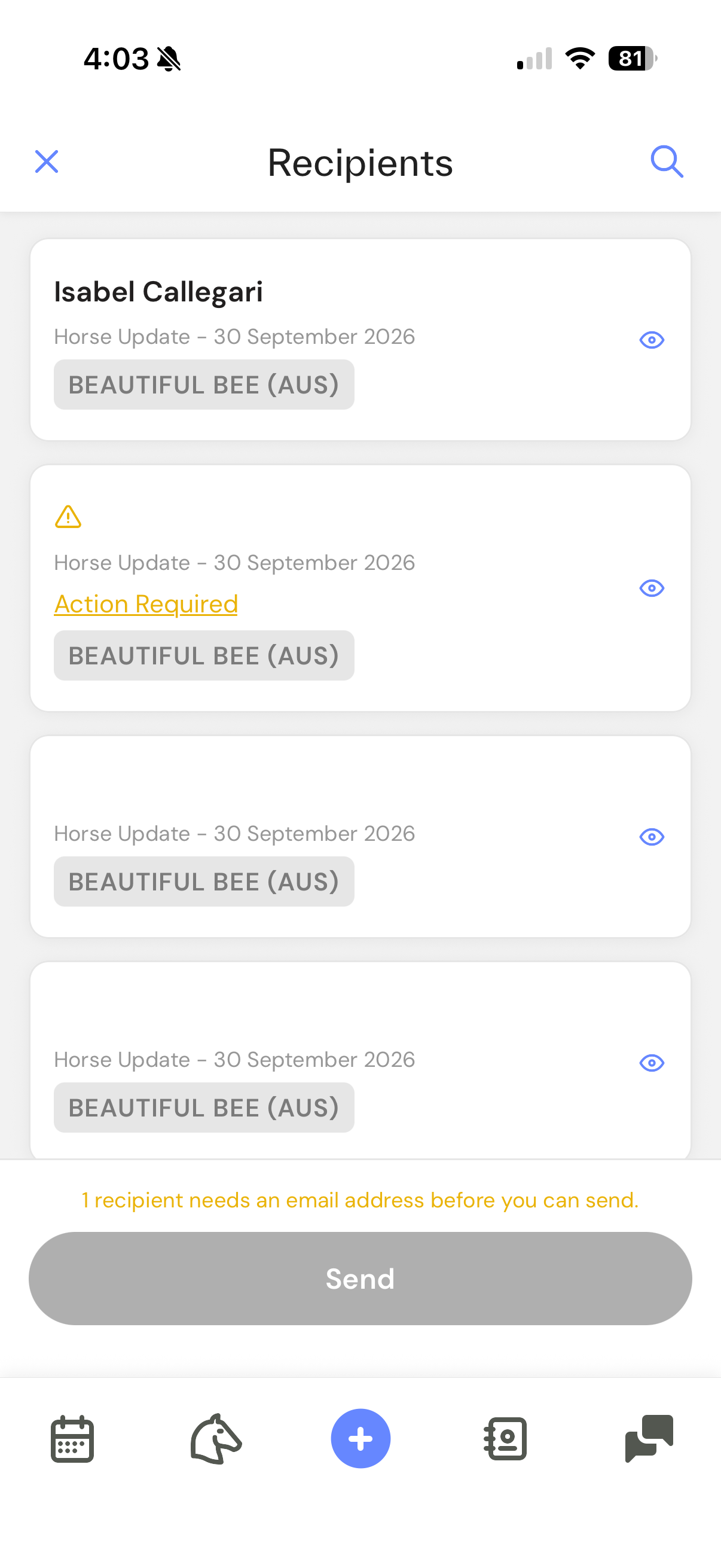
- Tap Send. A review of the recipients opens.
- Tap Send again.
The app shows Communication sent. The update appears under Sent on the Comms tab.
To finish it later, tap Save as draft instead. Your drafts are under Draft on the Comms tab, and only you can see them.
If Send is greyed out
- A recipient shows Action Required - they have no email address. Tap Action Required to add one, or remove them from Recipients.
- An attachment is still uploading - wait for it to finish.
- An upload failed - remove that attachment.
Related articles: (Mobile) Take a photo or record a voice note