
(Mobile) Add a horse
Add a new horse from your phone, filling in its details from the studbook
- Tap the horse head icon at the bottom of the screen to open Horses.
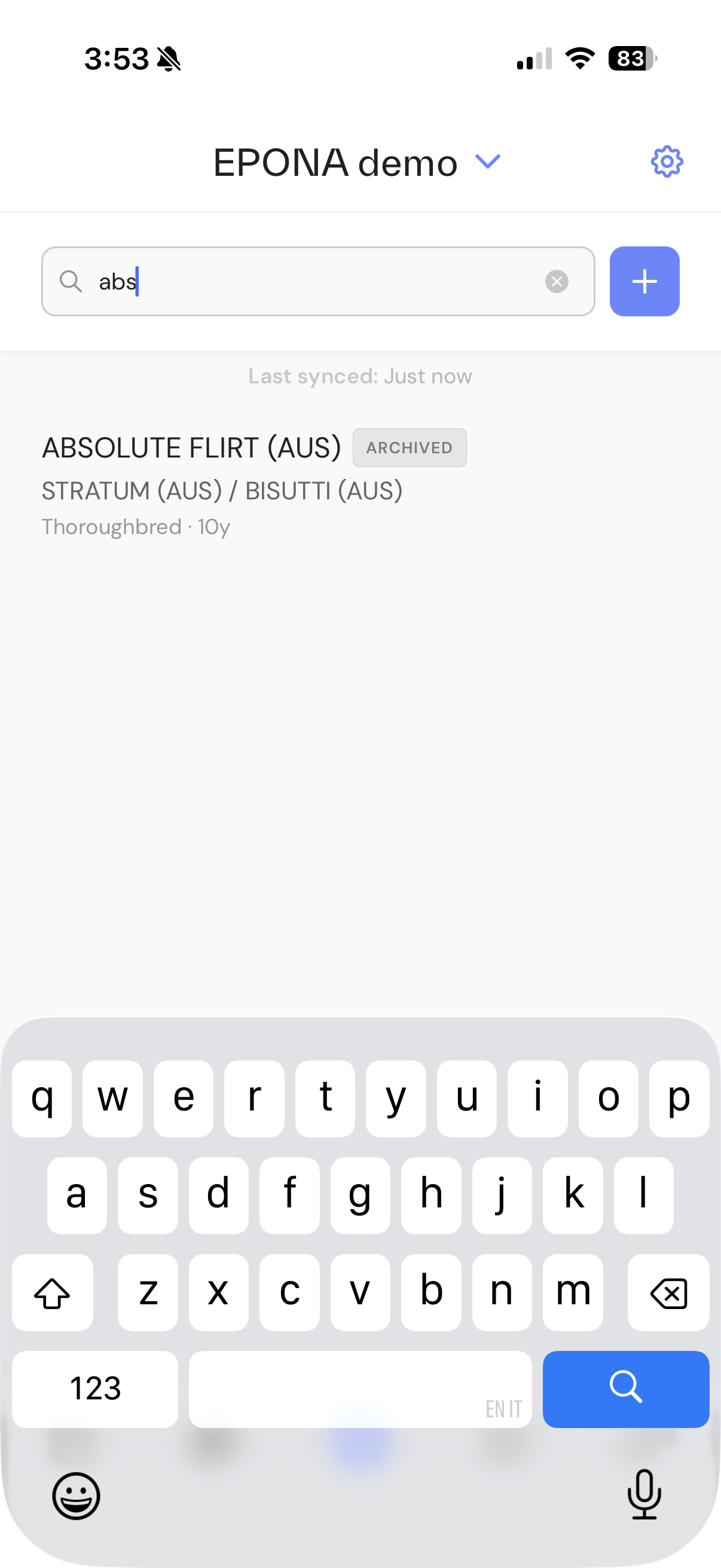
- Tap + to the right of the search box at the top of the list.
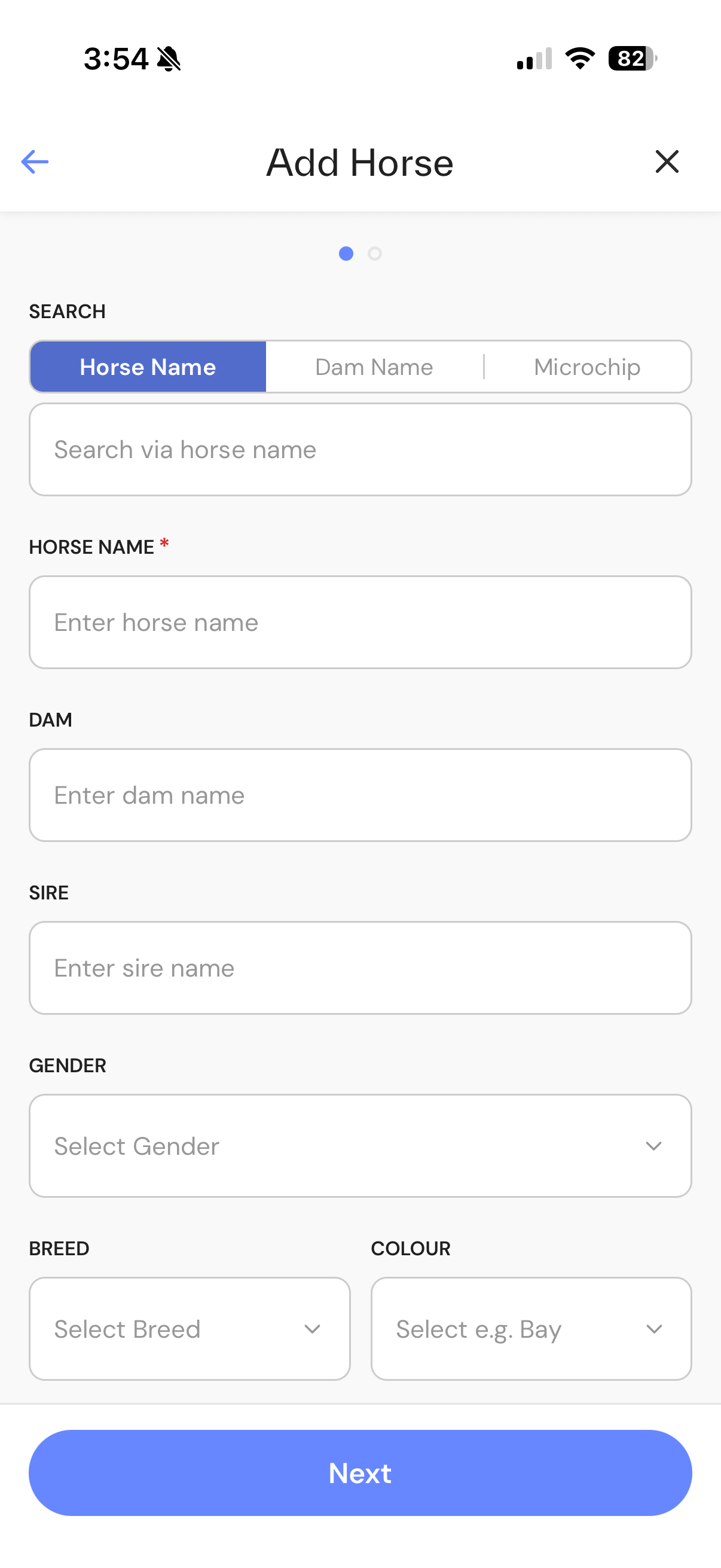
- Under Search, tap Horse Name, Dam Name or Microchip, then type what you know.
- Tap the matching horse in the results. Its details are filled in for you.
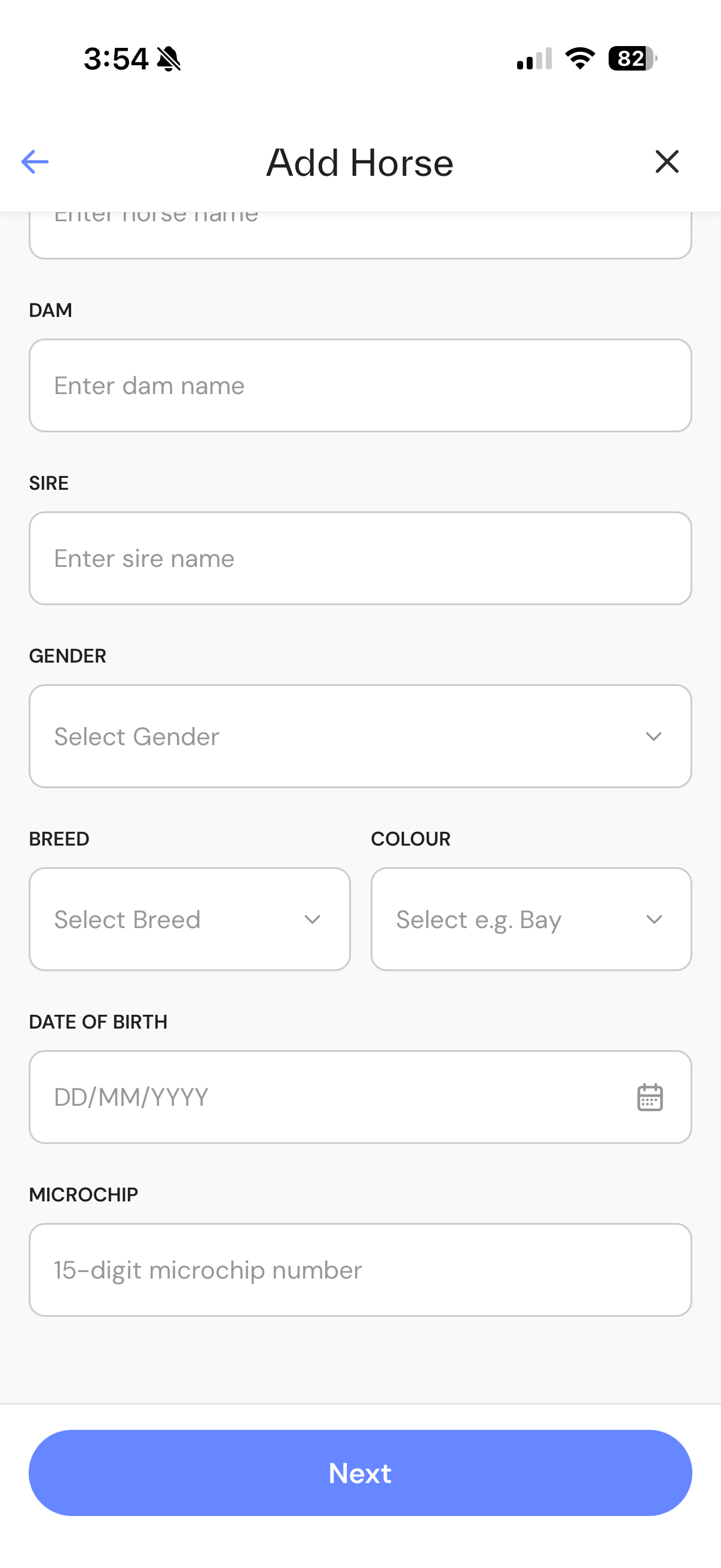
- Check the details and fill in anything missing. Horse Name is required.
- Tap Next at the bottom of the screen, then tap Save.
The horse appears in your Horses list.
If the horse is not in the search results, skip the search and type the details in yourself.
If the horse already exists in your workspace (same name and date of birth, or same microchip), the app shows Possible duplicate. Tap View existing horse to open it instead.
Related articles: (Mobile) Work offline