
Horse Procedures
View procedures and services added to a horse
All procedures and services that have been added to a horse can be displayed under this tab, and procedures can be added to the horse
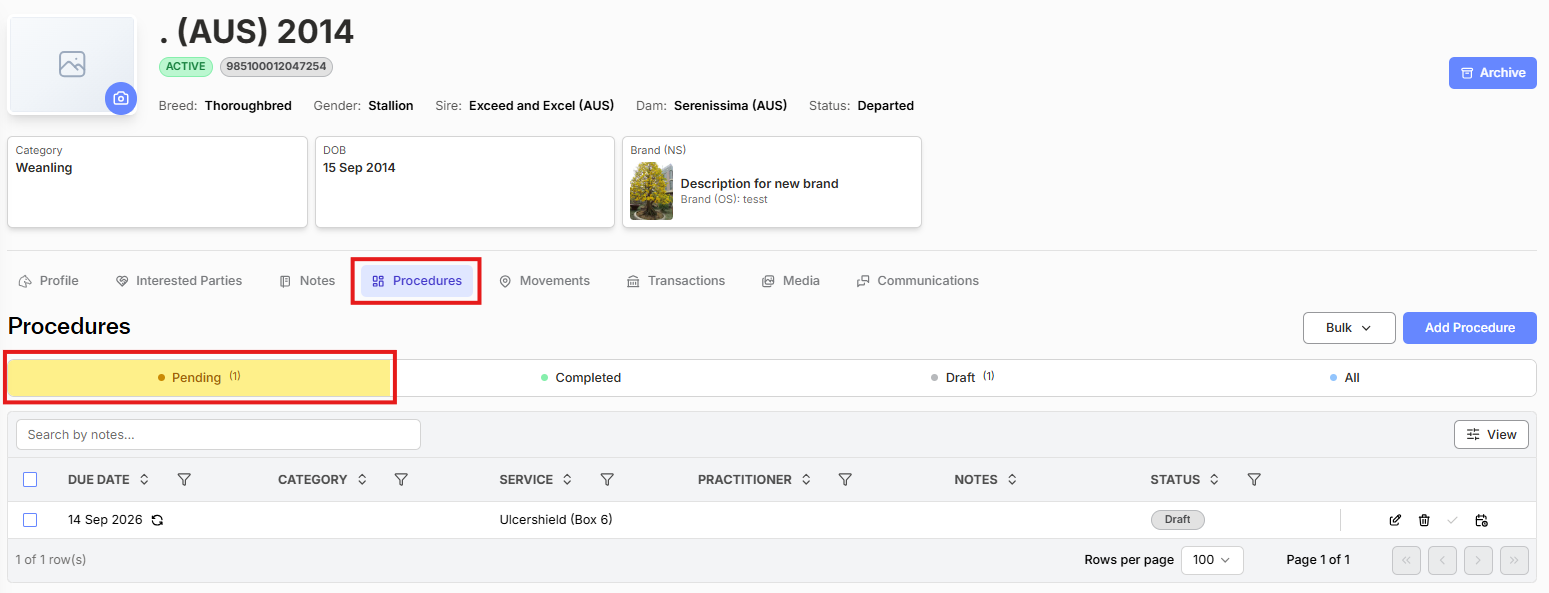
Procedures can be viewed by status
- Pending - scheduled to be done
- Completed - procedure has been completed
- Draft - created by business rules under Settings
- All - three above folders combined
The view can also be filtered by
- Due Date
- Service (Procedure)
- Practitioner
- Notes
- Status
Recurring procedures will appear on the Pending view with a small recurring symbol next to the procedure date.

The repeat action can be added during procedure adding:

Options available for an existing procedure/service are
- Edit - Procedure details are displayed. Edit details and select Save when finished.
- Delete - remove procedure
- Marked as completed
Note - Completed procedures that have been invoiced cannot be changed