
Horses
View all active horses
Under the Horse tab, view all horse added to the database
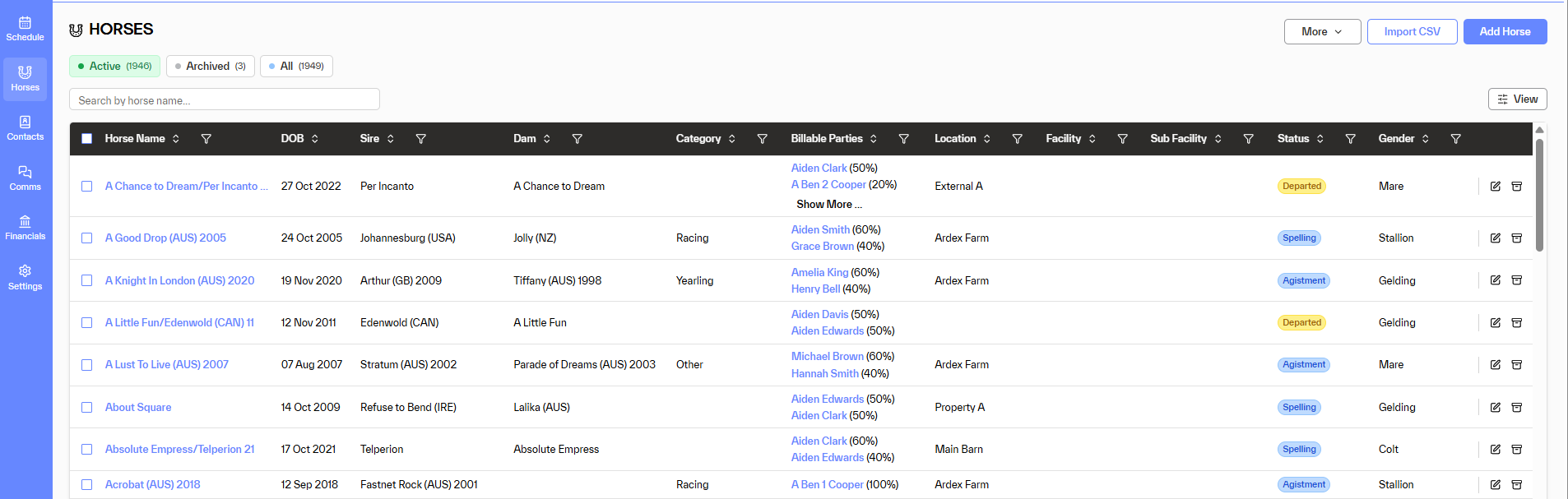
Within the Horse Option a user can view
- All horses
- Active horses
- Archived horses
Filter the view via the options at the top of list. More than one filter can be used e.g. show all race horses at my property
- Name
- DOB
- Sire
- Dam
- Category
- Billable Parties
- Location
- Facility
- Sub Facility
- Status
- Gender
In this example the horse list has been filtered (reduced) to only horses at Status = Agistment and also Category = Racing.
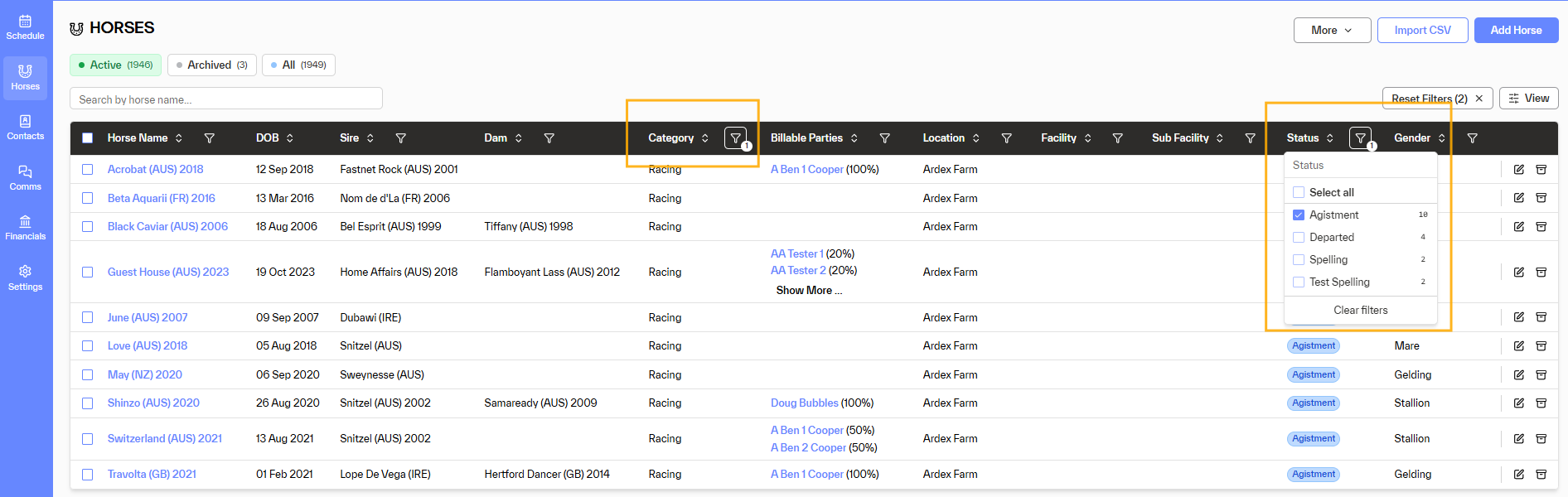
Options available are
- Add and remove columns from the list via the View option on the right-hand side of the list
- Access a horse profile by clicking on the horse's name
- Add a new horse
- Import horses using a CSV file
- Via the More menu, quickly add the following
- +Procedure - add a procedure to one or multiple horses
- +Transaction - add a transaction to one or multiple horses
- +Movement - add a movement to one or multiple horses
The quick add menu, allows a user to select multiple horses by selecting the check box next to the horse's name. In the list then select an option from the quick add menu. Multiple horses will appear, and the option can then be added to all horses.